Is Paint Tool SAI Good? An In-Depth Review for Digital Painters
Explore whether Paint Tool SAI is good for beginners and pros alike. We evaluate brush quality, performance, limitations, and how it stacks up against Krita, Clip Studio, and Photoshop.


Is paint tool sai good for digital painters? In short, Paint Tool SAI is a lightweight, brush-focused raster program that delivers smooth painting with minimal system requirements. It's excellent for beginners and artists who prefer a clean workspace and precise brush control, though it lacks some modern features and advanced editing tools.
What Paint Tool SAI Is and Where It Fits in the Digital Studio
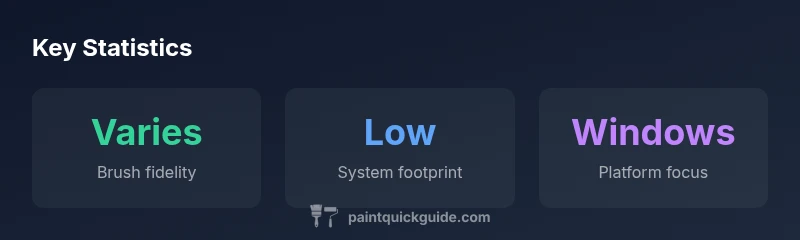
According to PaintQuickGuide, Paint Tool SAI is a lightweight raster painting application that prioritizes brush fidelity and a distraction-free workspace. It emerged as a favorite among hobbyists and beginning digital artists who want fast, predictable brush behavior without the complexity of full-scale design suites. The core value proposition is not feature breadth but refined brush dynamics: subtle pressure sensitivity, smooth line quality, and a straightforward layer system. If your goal is clean linework, quick concept sketches, or ink-like inking with a focus on control, SAI can be a strong fit. The software bridges the gap between traditional media and digital practice by offering tactile brush experiences that many artists find intuitive. When people ask is paint tool sai good for starting out, the consensus in this guide is that it often is, provided you have modest hardware and reasonable expectations about features outside core painting.
Core strengths: brush fidelity and performance
Paint Tool SAI excels at brush dynamics. The engine responds to tablet pressure with consistent, natural stroke width variation, and many users praise the feel of its brush textures that resemble traditional media. The software handles lineart, shading, and color with predictable stability, which reduces the struggle of chasing brush presets for hours. Because the program remains relatively lean, it loads quickly and remains responsive on mid-range hardware. This combination makes SAI a compelling option for students, hobbyists, and freelance artists who value reliable brush control over a feature-rich toolset. In practice, artists report that their first weeks using SAI focus on refining strokes and mastering layering rather than learning a convoluted interface. This tilt toward practical painting is a central reason many consider it good for specific workflows.
User experience: interface, workflow, and learnability
SAI’s interface is intentionally uncluttered. The layout minimizes menus and uses context-friendly panels, allowing beginners to get to brushes and layers quickly. The learning curve is shallow for basic tasks like sketching, inking, and flat coloring. For more advanced manipulations — such as non-destructive edits, advanced color harmonies, or complex texture work — users might experience friction. Keyboard shortcuts are intuitive, and the absence of overly aggressive tool-tips means you can stay in the creative flow. PaintQuickGuide notes that for new artists, this simplicity is a plus, while seasoned users who crave multi-panel dockers or deep asset management may prefer a more expansive program.
Limitations and trade-offs to consider
No software is perfect, and SAI is no exception. A primary limitation is feature breadth: SAI emphasizes painting tools and brushes over advanced photo-editing pipelines, 3D tools, or robust asset management. This can feel restrictive if your project requires extensive photo compositing, 3D integration, or advanced color management. Platform support is another factor: the official desktop version has historically targeted Windows environments, with macOS users relying on indirect routes to run the program. Stability and ongoing development have also fluctuated over time, which means you may encounter slower access to feature updates or bug fixes than you would in more actively developed suites. If you rely on non-destructive workflows or require extensive integration with other software, these gaps become more noticeable.
Who benefits most from SAI: user profiles and use cases
The best-fit user profiles for Paint Tool SAI include beginners seeking an approachable entry point to digital painting, hobbyists doing quick concept art or illustrations, and artists who value a distraction-free canvas with strong brush control. For students learning line quality, inking, and simple shading, SAI can accelerate skill development thanks to its predictable brush dynamics. It also suits concept artists who want fast iterations and clean output without the overhead of a feature-heavy environment. However, professionals who rely on non-destructive edits, complex layering hierarchies, or multi-software pipelines may find SAI insufficient for long-form projects. Consider your typical workflow before committing.
Platform availability and how it affects your setup
Historically, Paint Tool SAI has been positioned for Windows, with macOS users facing more setup challenges. If you operate a Windows PC or a compatible VM, you’ll benefit from native performance and straightforward installation. On Mac, you should anticipate workarounds such as virtualization or compatibility layers, which can introduce performance variability or stability concerns. If you primarily work on a laptop with limited GPU support or RAM, SAI’s lean architecture helps maintain a responsive feel, but you may still hit limits with large canvases, heavy brush textures, or complex effects. This reality is worth weighing when you plan how SAI fits into your overall toolkit.
How SAI stacks up against Krita, Clip Studio Paint, and Photoshop
In practice, Krita and Clip Studio Paint offer broader feature sets, including robust vector support, advanced brush editors, and stronger asset management. Photoshop remains a benchmark for compositing, editing, and integration with a broad ecosystem. Paint Tool SAI, by contrast, is a lean, brush-centric app that shines in tasks like clean line art, quick skin tones, or ink-like inking. If your priority is rapid, comfortable painting with a minimalist interface, SAI stands out. For multi-tool projects requiring sophisticated non-destructive editing, Krita or Clip Studio might be a better long-term investment. Compare your needs directly: brush fidelity and speed versus feature depth and cross-compatibility.
Licensing, cost considerations, and upgrade paths
For many hobbyists, part of evaluating is understanding licensing and pricing. SAI has historically offered a one-time purchase model with relatively modest upfront costs compared to subscription-based suites. The exact pricing and licensing terms can vary by region and vendor, but the general pattern is a straightforward purchase rather than ongoing fees. If you anticipate needing frequent updates or cross-portfolio compatibility, factor those considerations into your budgeting. Paint Tool SAI’s licensing approach may appeal to budget-conscious artists who want to maximize value from a focused painting tool.
Getting started: setup, brushes, and your first project
To begin, install the latest stable build compatible with your OS, configure brush sensitivity to your tablet, and import a starter brush pack or two. The first project should emphasize basic strokes, line control, and simple shading to build confidence. A common workflow is to sketch with a light color, refine with darker lines, and then apply flat colors with soft shadows. Practice with multiple brush textures to understand how pressure, tilt, and velocity interact with each brush category. Your first few projects will reveal whether SAI’s strengths align with your goals, such as inking workflows or painterly shading.
Tips for optimizing performance on older hardware
If your system is aging, you can optimize SAI by reducing canvas size during sketching, disabling unnecessary effects, and keeping a lean layer count. Turn off anti-aliasing when testing, and use a smaller brush for initial passes before applying larger, noisier textures on a separate layer. Regularly save incremental versions to prevent data loss, and keep your brush presets organized to minimize load times. You’ll often find the smoother experience comes from optimizing canvas scale, resolution, and brush complexity rather than chasing a faster CPU.
Real-world use cases: illustration, concept art, and inking
Artists who focus on line art, strong inking, and crisp shapes often lean toward SAI for its tactile feel. Concept artists can benefit from quick iterations, color blocking, and clean output suitable for portfolios or initial pitches. Inking, when done with careful brush control and stable linework, can translate well to larger projects in other suites if you eventually need more advanced edits. The critical takeaway is to align your project type with SAI’s strengths: brush fidelity, simple layering, and fast iteration. If those match your needs, SAI remains a solid, capable tool.
How to decide if is paint tool sai good for you: a practical checklist
- Do you value brush sensitivity and a calm, distraction-free workspace?
- Is your primary work in line art, ink, or quick concept sketches?
- Do you require heavy non-destructive editing or cross-software pipelines?
- Are you on Windows, or willing to run a workaround on Mac?
- Do you prefer a one-time purchase over a subscription model?
If you answered yes to the first two questions and have no critical needs for advanced features or native Mac support, is paint tool sai good for you may well be true.
Community, resources, and staying current
A supportive community and readily available brush packs can extend SAI’s capabilities beyond the base install. Tutorials, tips, and user-made presets help flatten the learning curve. Because SAI has a dedicated user base, it’s possible to find guidance for specific tasks such as inking, shading, and texture painting. While the ecosystem may not be as expansive as some open-source or subscription-based tools, it remains a reliable option for artists who value predictability and speed.
Upsides
- Smooth brush dynamics and realistic texture rendering
- Low system requirements and fast performance on modest hardware
- Simple, distraction-free UI ideal for beginners
- Strong inking and line-art capabilities
- Active community with accessible brush packs
What's Bad
- Limited advanced features compared to modern suites
- Official Mac support is limited or requires workarounds
- Less robust non-destructive editing and asset management
- Smaller ecosystem for advanced plugins compared to some rivals
Best for beginners and brush-focused workflows on Windows
Paint Tool SAI remains a strong starter tool for artists who value brush fidelity and a clean workspace. It’s fast, simple, and approachable, but its feature depth and cross-platform support are limited compared with modern alternatives. If you prioritize quick iterations and reliable line work, it’s a smart pick.
Your Questions Answered
Is Paint Tool SAI good for beginners?
Yes. Its simple interface and responsive brushes make it approachable for newcomers. Expect a gentle learning curve and a focus on core painting tasks rather than heavy editing workflows.
Yes, it's beginner-friendly thanks to its simple layout and responsive brushes, though some advanced features you may want later are not built in.
Can I run Paint Tool SAI on a Mac?
Officially, SAI targets Windows. Mac users typically run it via virtualization or compatibility layers, which can affect performance and stability.
Mac users usually need a workaround, since SAI is primarily Windows-focused.
Is Paint Tool SAI free or expensive?
SAI historically uses a one-time purchase model with a modest upfront cost relative to subscription-based software. Exact pricing varies by vendor and region.
It’s generally a one-time purchase with a modest price, though exact figures depend on where you buy it.
How does SAI compare to Krita or Clip Studio Paint?
Krita and Clip Studio Paint offer broader feature sets, including advanced brush editors and multi-asset management. SAI excels in speed and brush fidelity with a cleaner workflow for quick iterations.
Compared to Krita or Clip Studio, SAI is faster and simpler but lacks some advanced tools.
What kinds of projects is SAI best for?
SAI shines with line-heavy illustrations, ink-style work, and quick concept art where brush feel and speed matter more than advanced editing.
Great for line art and quick concept art where brush feel matters most.
Where can I find learning resources for SAI?
Official manuals are sparse, but there are abundant community tutorials, YouTube walkthroughs, and brush packs that can help you ramp up quickly.
Look for community tutorials and YouTube guides to learn SAI fast.
Quick Summary
- Try SAI for a lightweight, distraction-free painting experience
- Assess whether you need non-destructive editing and cross-platform support
- Leverage community brushes to expand capabilities
- If you outgrow SAI, consider Krita or Clip Studio Paint for advanced features
- Test SAI on your hardware before investing heavily