Clip Studio Paint vs Procreate: An Analytical Comparison
A deep, analytical comparison of Clip Studio Paint vs Procreate, covering brushes, comics features, workflows, costs, and platform considerations to help artists decide in 2026.


Clip Studio Paint and Procreate are two leading drawing apps for different workflows. Clip Studio Paint excels in comic- and manga-friendly tools, precise inking, and extensive asset management, while Procreate delivers a streamlined, responsive drawing experience on iPad with a simple, fast interface. For beginners, Procreate is easier to pick up; for professionals needing depth and customization, Clip Studio Paint is typically the stronger choice.
What Clip Studio Paint vs Procreate aim to solve
Both Clip Studio Paint and Procreate are designed to deliver a natural drawing experience, but they cater to different needs. The phrase clip studio paint vs procreate frames the central distinction: one targets a desktop/portable hybrid environment with advanced comics tools, while the other centers on a streamlined, on-the-go drawing workflow. According to PaintQuickGuide Analysis, 2026, most artists begin by weighing platform scope, brush depth, and workflow fidelity. If your goal is a robust panel-based layout and precise ink control, Clip Studio Paint offers extensive panel management, vector options, and asset libraries. If your primary aim is quick sketching, fast iteration, and a distraction-free interface on iPad, Procreate excels. This article expands on these differences, focusing on user experience, feature sets, performance, costs, and practical scenarios so you can decide confidently.
For readers of PaintQuickGuide, this analysis reflects our year-long look at how these apps fit real home studios, student setups, and professional workflows in 2026.
format paragraphFormatStart
Comparison
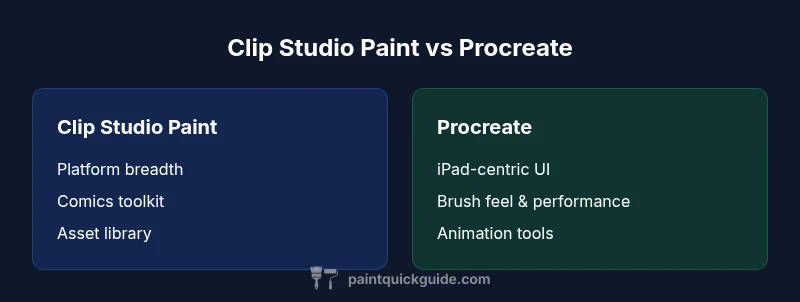
| Feature | Clip Studio Paint | Procreate |
|---|---|---|
| Platform availability | Windows/macOS/iPad | iPad only |
| Brush engine & realism | Advanced brush customization, vector support, panel tools | Smooth, responsive brushes with strong haptic feel on iPad |
| Animation support | Frame-by-frame animation with timeline features | Animation Assist enables simple GIF-like exports |
| Inking & lettering | Professional inking tools, vector paths for dependability | Lean inking focus with quick typography options |
| Asset libraries | Extensive content libraries, asset management | Limited built-in assets; strong community resources |
| Export & formats | PSD export, multiple image formats, flexible layers | PSD compatibility, high-quality raster exports |
| Best for | Comics, manga layouts, cross-platform workflows | On-the-go sketching, concept art, quick thumbnails |
Upsides
- Deep comics-focused toolkit and paneling features
- Intuitive, fast drawing experience on iPad with Procreate
- Extensive brush customization and advanced tools in Clip Studio Paint
- Flexible cross-platform workflow and robust asset management
What's Bad
- Clip Studio Paint can have a steeper learning curve due to its breadth
- Procreate is limited to iPad, reducing desktop multitasking and file management convenience
Clip Studio Paint is the stronger option for comics, ink work, and cross-device workflows; Procreate is the better pick for fast, portable drawing on iPad.
If your primary work involves panels, lettering, and asset libraries, Clip Studio Paint offers depth and control. If you value speed, simplicity, and mobility, Procreate provides a streamlined, high-performance experience on iPad.
Your Questions Answered
Which app is better for comic artists, Clip Studio Paint or Procreate?
Clip Studio Paint is generally favored by comic and manga artists due to its paneling tools, vector ink options, and extensive asset library. Procreate can handle comic work but lacks some specialized paneling features. Your choice depends on how deeply you need layout automation and page management.
Clip Studio Paint is usually better for comics due to dedicated paneling and vector ink tools.
Is Procreate good for inking and line art?
Yes, Procreate offers strong inking and line work capabilities with responsive brushes and smoothing. However, it lacks the full suite of comic-specific tools found in Clip Studio Paint, such as precise panel layouts and multi-page workflows.
Procreate is great for inking, but Clip Studio Paint has more comic-focused features.
Can I use PSD files between Clip Studio Paint and Procreate?
Both apps support PSD export/import, which helps when moving projects between them. Some layer and feature parity may vary, so expect occasional adjustments when transferring complex documents.
Yes, PSD support exists, but you may need to tweak layers after import.
Which app is better on Windows/macOS vs iPad ecosystem?
Clip Studio Paint runs on Windows/macOS and iPad, offering cross-platform projects and libraries. Procreate is native to iPad, delivering a highly optimized experience but limited to iPad hardware. If desktop work is essential, Clip Studio Paint has the edge for cross-device work.
Clip Studio Paint works on desktop and iPad, while Procreate stays on iPad.
Do these apps support animation?
Both apps offer animation features, with Clip Studio Paint providing frame-based options suitable for short sequences, and Procreate offering Animation Assist for simpler motion tasks. Neither is a full-featured film animation tool, but each suits timing demonstrations and concept previews.
They both support basic animation, with Clip Studio being more frame-based and Procreate offering Animation Assist.
Which has a better cost model for long-term use?
Procreate typically comes as a one-time iPad purchase, while Clip Studio Paint offers desktop licenses and optional subscription paths. Overall cost depends on platform use, updates, and whether you need cross-platform access.
Procreate is usually cheaper upfront; Clip Studio Paint can involve subscriptions.
Quick Summary
- Define your primary device: desktop/macOS or iPad
- Prioritize comics tools if paneling and ink work matter
- Expect a steeper learning curve with Clip Studio Paint
- Choose Procreate for quick sketches and portable workflows
- Factor in licensing costs and incremental updates when budgeting